

Where to store client secrets
Where to store the secret depends on the scope of the secret:- Is it just one secret per application? Then
client_metadatawould be a good place. - Is it the same secret for the whole system (i.e., for all applications or many)? Then the rule’s configuration values might be a better choice.
- Is it a different secret for each user? Then storing in the user profile’s
app_metadatamight be better.
Configure application metadata
You can set application metadata using the Auth0 Dashboard or the .- Auth0 Dashboard
- Management API
- Go to Dashboard > Applications > Applications and select the application.
-
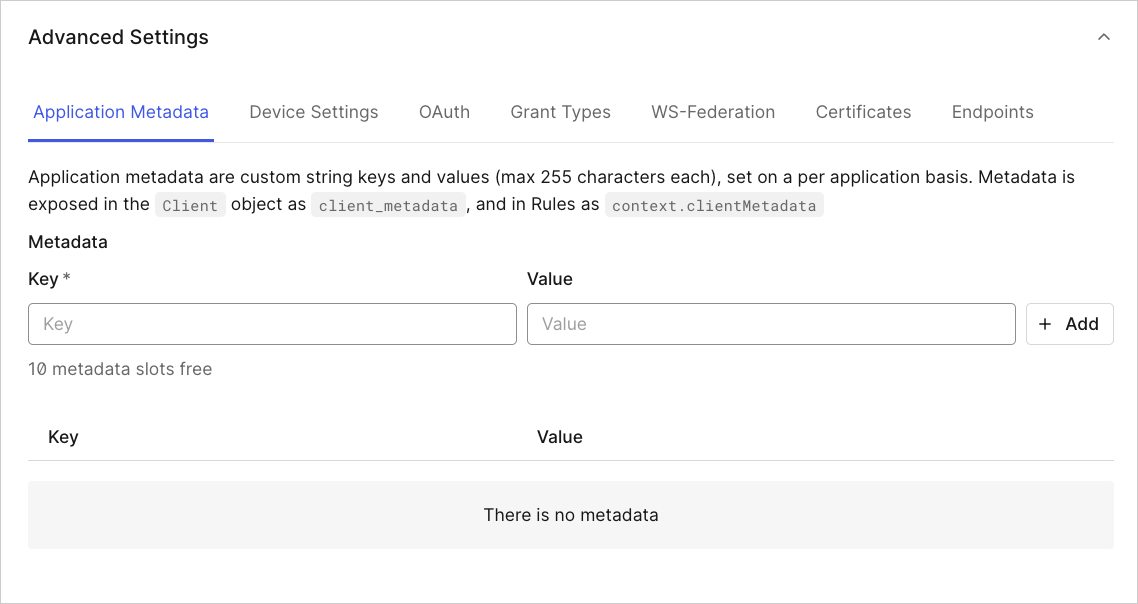
On the Settings tab, scroll to the bottom of the page and select Advanced Settings to expand the section.
-
In the Application Metadata tab, you can:
- Add metadata by entering a key and value, then selecting + Add.
- Update metadata by entering a key you want to update and a new value, then selecting + Add.
- Delete metadata by selecting the trash can icon next to the key/value pair.
- When you’re done, select Save Changes.
View application metadata
Metadata is exposed in theClient object as client_metadata, and in Rules as context.clientMetadata.
You can access application metadata in Actions:
GET /api/v2/clients and GET /api/v2/client/{id} endpoints.
Limits
-
The
client_metadatafield can have a maximum of 10 keys. -
client_metadatakeys and values have a maximum length of 255 characters each. -
client_metadatakeys and values cannot contain UTF-8 special characters.