> ## Documentation Index
> Fetch the complete documentation index at: https://docs-dev-chore-events-autoupdate.mintlify.site/llms.txt
> Use this file to discover all available pages before exploring further.

> Auth0 Dashboard を使用してアプリケーションのエンタープライズ接続をテストする方法を説明します。

# エンタープライズ接続をテストする

Auth0 Dashboard を使用して、アプリケーションのエンタープライズ接続をテストできます。

適切にテストするには、あらかじめ[エンタープライズ接続を設定](/docs/ja-jp/authenticate/identity-providers/enterprise-identity-providers/enable-enterprise-connections)しておく必要があります。

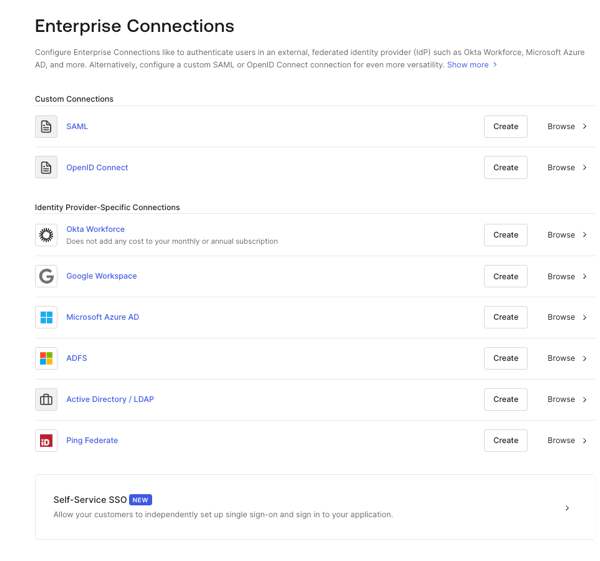
1. [Auth0 Dashboard > Authentication > Enterprise](https://manage.auth0.com/#/connections/enterprise) に移動し、表示したい接続タイプを選択します。
   <Frame>
     <img src="https://mintcdn.com/docs-dev-chore-events-autoupdate/MOUmiRXu5I_3fPz2/docs/images/cdy7uua7fh8z/1fSTcrZpkgkPR64NnI1lr8/b3454e60a4463e99353603fd11a71983/Enterprise_Connections_-_EN.png?fit=max&auto=format&n=MOUmiRXu5I_3fPz2&q=85&s=22b70bc0b0b6e5653fc15ae44852e9e8" alt="Dashboard - Connections - Enterprise" width="600" height="561" data-path="docs/images/cdy7uua7fh8z/1fSTcrZpkgkPR64NnI1lr8/b3454e60a4463e99353603fd11a71983/Enterprise_Connections_-_EN.png" />
   </Frame>
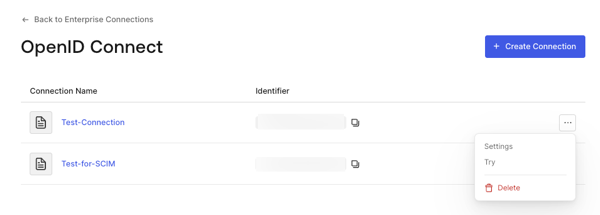
2. テストする接続の横にある **Try** の矢印を選択します。

   <Frame>
     <img src="https://mintcdn.com/docs-dev-chore-events-autoupdate/MOUmiRXu5I_3fPz2/docs/images/cdy7uua7fh8z/1sxfMEARFGmA6cPMlWkx3c/4c0bd4a009df0b7f40a645613d3c723f/oidc-connection-try.png?fit=max&auto=format&n=MOUmiRXu5I_3fPz2&q=85&s=e938100ba67b682caf83e5775d9afa95" alt="Dashboard - Connections - Enterprise - AD/LDAP - List" width="600" height="215" data-path="docs/images/cdy7uua7fh8z/1sxfMEARFGmA6cPMlWkx3c/4c0bd4a009df0b7f40a645613d3c723f/oidc-connection-try.png" />
   </Frame>
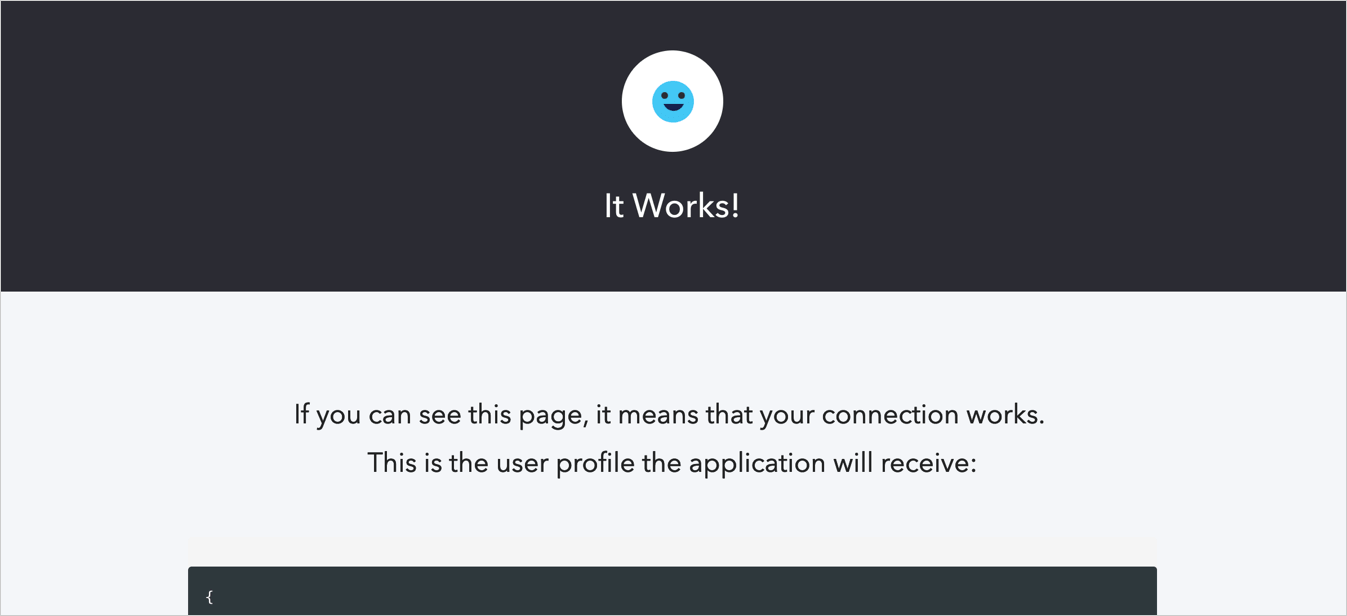
3. ログインして、アプリへのアクセスを許可することに同意します。正しく設定されていれば、**It Works!** ページが表示されます。
   <Frame>
     <img src="https://mintcdn.com/docs-dev-chore-events-autoupdate/zUYE0uCEntUxkkyV/docs/images/cdy7uua7fh8z/5DWJWLf8zvZJH0rSlhK0cr/f33377edf6f82f17e11e08ec30d8d75a/connection-social-try-success.png?fit=max&auto=format&n=zUYE0uCEntUxkkyV&q=85&s=92669c20550c9b0ee55ab2ef279ace3e" alt="Dashboard - Connections - Database - Try - Success" width="1347" height="616" data-path="docs/images/cdy7uua7fh8z/5DWJWLf8zvZJH0rSlhK0cr/f33377edf6f82f17e11e08ec30d8d75a/connection-social-try-success.png" />
   </Frame>